Your player just finished a game. You have a shaky phone video, a vague memory of one good pass, and no idea whether they actually held their position in the second half. That gap — between playing the game and understanding it — is where most young players stall.
Video analysis closes that gap. This article explains how to use the Trace AI soccer camera to improve real performance metrics, how coaches turn footage into coaching, and how players self-review to get better week over week. The core idea is a simple loop: record, analyze, improve, repeat.
What is the Trace AI soccer camera?
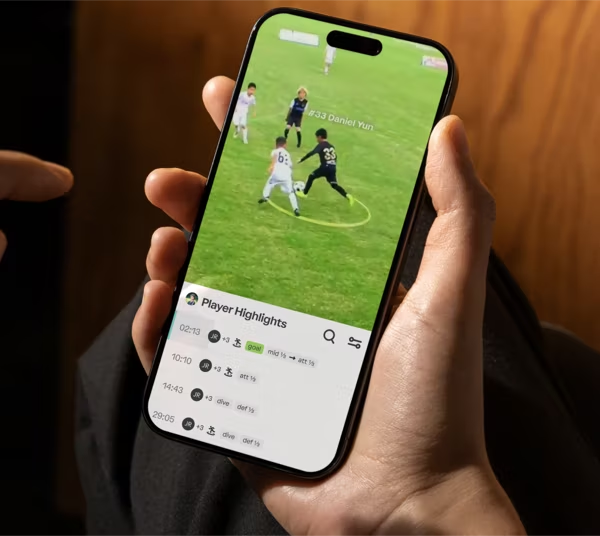
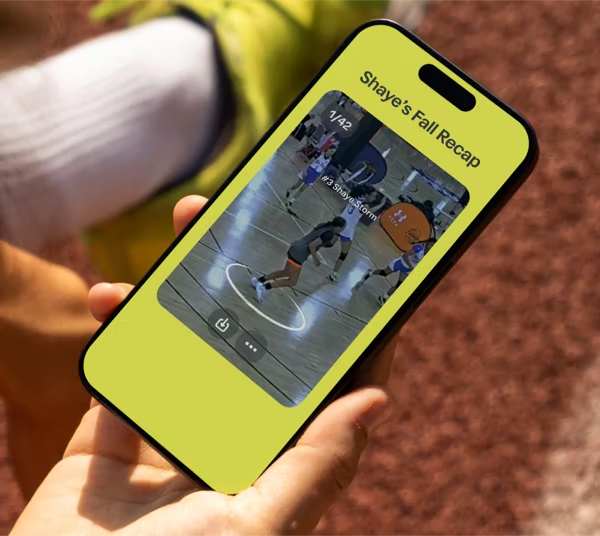
The Trace AI soccer camera is an automated camera and software system that films the full game and produces personalized highlights for each player — no camera operator, no manual editing. After the game, players and coaches access footage through the Trace platform and see their own clips: their touches, their runs, their goals, their defensive plays.
That personalization is the whole point. A highlight reel that follows your player is the difference between "we watched the game" and "we studied you."
The video analysis feedback loop: record, analyze, improve, repeat
Real improvement isn't one dramatic breakthrough. It's a loop your player runs every week.
- Record. Trace films the full match automatically.
- Analyze. Trace clips the moments that matter for each player and organizes them by action.
- Improve. Your player and coach identify one or two specific things to work on.
- Repeat. The next game, they check whether those things changed.
What performance metrics can video analysis improve?
Positioning and spacing
Positioning is the hardest thing to feel in the moment and the easiest thing to see on film. Watching where a player stands before the ball arrives reveals more than any live shout from the sideline can.
Sprint patterns and off-ball movement
Most of a soccer game happens without the ball. Video shows when your player made the run that stretched the defense — and when they jogged through a moment that called for a sprint.
First touch and number of touches
Trace clips let your player count their own touches and watch their quality. Touch habits are repetitive, so seeing them once often fixes them.
Decision-making and scanning
The best players decide before the ball reaches them. On film, your player can pause and ask: What did I see? What were my options? Did I pick the best one?
How coaches use Trace data to develop players
Common ways coaches use the footage:
- Individual review. Send a player three clips of their positioning and one question to think about before practice.
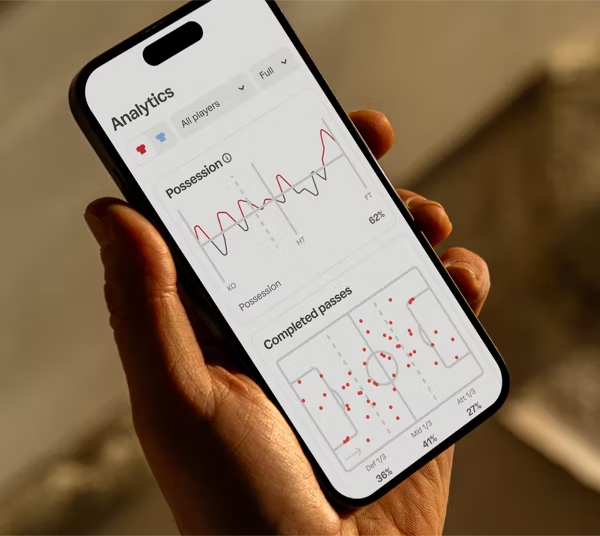
- Tactical patterns. Spot recurring issues — a full-back caught upfield, a midfield that stops pressing when tired.
- Targeted training. Build a session around what the film actually showed, not what the coach thinks they remember.
- Progress tracking. Compare the same player across weeks to confirm a habit is changing.
How players can self-review their own game film
A practical 15-minute self-review routine:
- Watch your highlights once, all the way through.
- Pick one thing that went well. Note why it worked so you repeat it.
- Pick one thing to fix. Positioning, a touch, a missed run — just one.
- Find two clips of that mistake. Patterns matter more than single moments.
- Write down one goal for next game. Something you can check on film next week.
Trace vs. filming games yourself
| Task | Filming yourself | Trace AI Camera |
|---|---|---|
| Recording the game | Hold your phone the whole match | Automatic, full-field |
| Following your player | Manual, shaky, often out of frame | AI keeps your player in the clips |
| Finding key moments | Scrub through 90 minutes | Clips sorted by player and action |
| Personalized highlights | Edit them yourself | Generated after the game |
| Coach feedback | Vague, memory-based | Tied to specific clips |
| Time cost per game | Hours of filming and editing | Minutes of review |
Frequently asked questions
How does video analysis improve soccer performance? Video analysis lets players see habits they can't feel in the moment — positioning, off-ball movement, touch quality, and decisions. Seeing a specific mistake once, with a clear fix, changes behavior faster than verbal feedback alone.
What age should players start using video review? Any age that plays organized games benefits.
Do you need a coach to benefit from Trace? No. Players can self-review their personalized highlights on their own.
How often should players review their game film? Once per game is plenty. A short, focused 15-minute review beats a long unfocused session.
What makes Trace different from filming with a phone? Trace films the full field automatically and uses AI to build personalized highlights for each player, sorted by action.
Your next step
Visit the Trace pricing page to get started and put the feedback loop to work for your player this season.


